Understand a web app registration
An application registration supplies the identity and configuration that a Java web application uses when communicating with Microsoft Entra ID. In this unit, you interpret registration settings for an illustrative company portal rather than create a registration.
Note
A single-tenant app's sign-in audience includes both user and guest accounts in that tenant. Employee-only access requires additional authorization for a curated set of employee users or groups; the scenario doesn't implement that policy. Tenant membership, email domain, and member/guest classification don't prove employment. For more information, see Single and multitenant apps.
Interpret the registration settings
The following table describes the settings relevant to the portal. The identifiers and example URI are explanatory placeholders, not values that the learner needs to configure.
| Setting | Role in the example |
|---|---|
| Name | A human-readable label for the application. It isn't the application's protocol identifier. |
| Application (client) ID | Identifies the application. Code samples refer to this value as CLIENT_ID. |
| Directory (tenant) ID | Identifies the workforce tenant. The tenant-specific authority directs authentication requests to that tenant. |
| Supported account types | A single-tenant audience allows user and guest accounts in the selected directory, subject to applicable access policies. |
| Web redirect URI | Identifies the server endpoint that receives the authorization response. An illustrative value is https://app.example.com/auth/callback. |
| Application credential | Lets the confidential web application authenticate itself when redeeming an authorization code for tokens. |
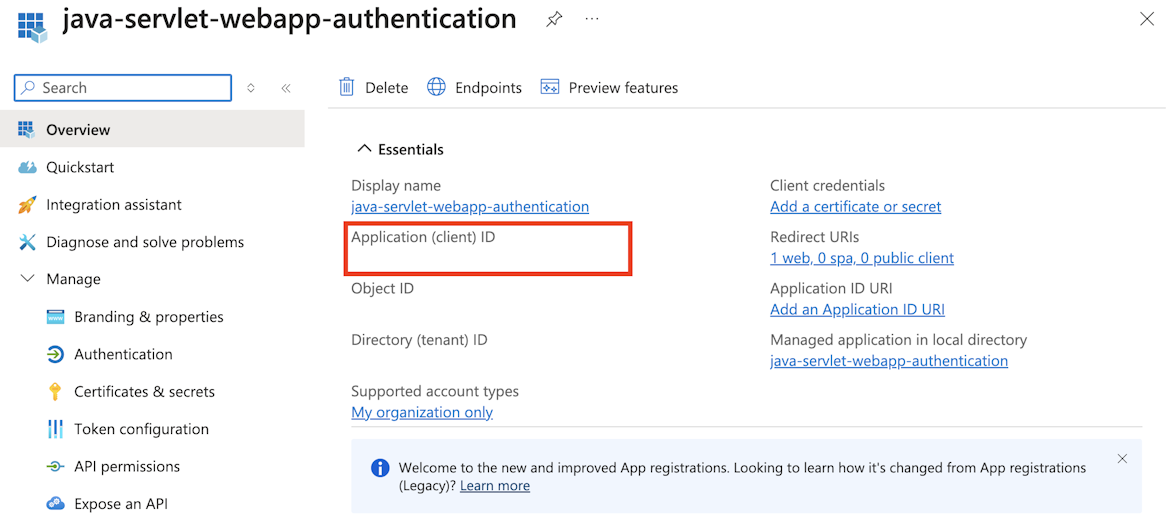
The following image illustrates how client and tenant identifiers appear in an app registration's overview. It's reference material, not a screen that needs to be opened to complete the module.
Relate the redirect URI to the sign-in flow
In the authorization-code flow, the application sends the browser to a Microsoft Entra authorization endpoint. After a successful authorization response, the browser returns to the registered redirect URI with an authorization code.
The callback URI must match the web redirect URI in the registration and the URI used in the authorization request. The server then redeems the code at the token endpoint. The browser callback doesn't receive the Microsoft Graph access token in this flow.
In later samples, Config.REDIRECT_URI represents this callback address. It's an application configuration value, not a method provided by MSAL4J.
Distinguish identifiers from credentials
The client ID identifies the application, but doesn't prove its identity. A confidential web application also presents a credential during token acquisition.
A client secret is one possible credential. Its Value is the secret material; its Secret ID is an identifier, not the value used for client authentication. The Azure portal displays a newly created secret's value only once. These distinctions explain the CLIENT_SECRET placeholder in the next unit; no secret is needed for this module.
Important
Secret-based code samples illustrate the API shape, not a production credential-storage design. Secrets and populated configuration files must stay out of source control, screenshots, and logs. Production confidential web applications should use a certificate or an appropriately configured federated credential, with secure storage for credential material. A managed identity isn't a drop-in replacement for this user sign-in flow. See Application credential guidance.
Registration management and API access are separate concerns
The ability to manage registrations is governed by tenant permissions. Member users can normally register apps, but tenant policy can restrict this. Appropriate access, such as the Application Developer role or administrator assistance, can be necessary in a real implementation. This is an administrative consideration, not a learner prerequisite.
Registration also doesn't grant every API permission that an application might request. The portal's Microsoft Graph access depends on its requested scopes and the applicable consent grants, which are explained later in the module.
For reference, Register an application describes the registration settings and their management.